
Key Takeaways
- Getting locked out of email is common and can happen due to incorrect passwords, forgotten login details, or security checks from your email provider.
- Email accounts are often locked automatically to protect your information from suspicious activity or repeated failed login attempts.
- You can usually regain access by using the “Forgot Password” option and completing identity verification steps like recovery email or phone confirmation.
- If standard recovery steps do not work, IT support help may be needed to restore access safely and fully secure your account.
- You can prevent future lockouts by updating recovery details, using strong passwords, enabling two-step verification, and avoiding repeated login errors.
Getting locked out of email can be frustrating, especially when you need quick access to an important message or another account. It can happen without warning, even when your login details seem correct. This issue is more common than you might expect and can interrupt both personal and work tasks.
If this keeps happening, it may be time to rely on professional support like IT solutions in Florida to properly secure your account and avoid repeat issues. In this blog post, we’ll go over the common causes and explain how the right support can help you regain access quickly and safely.
Common Reasons You Get Locked Out of Email Accounts
There are several reasons why people get locked out of email accounts. In many cases, it is not just a simple mistake but a security measure designed to protect your information. Here are the most common causes:
- Incorrect Login Details
Entering the wrong password multiple times can trigger a temporary lock to prevent unauthorized access. - Forgotten Password
If you have not logged in for a while, it is easy to forget your password or mix it up with another account. - Suspicious Login Activity
Email providers may block access if they detect a login from a new device, location, or unusual time. - Too Many Login Attempts
Repeated attempts to sign in, even by mistake, can cause your account to be temporarily locked. - Outdated Recovery Information
If your recovery email or phone number is no longer active, it can make it harder to verify your identity. - Account Security Issues
In some cases, your account may be locked as a precaution if there is a risk of unauthorized access.
Understanding these common causes of getting locked out of your email can help explain why access is restricted and what needs to be addressed next.
Step-by-Step Guide to Recover Your Email Access
If your email is locked out, the recovery process usually involves a few standard steps to confirm your identity and restore access. While the exact process may vary depending on your email provider, here is what typically happens:
1. Start with the Password Reset Option
The first step is to go to your email provider’s login page and select “Forgot Password.” This allows you to begin the recovery process and reset your login details safely.
2. Verify Your Identity
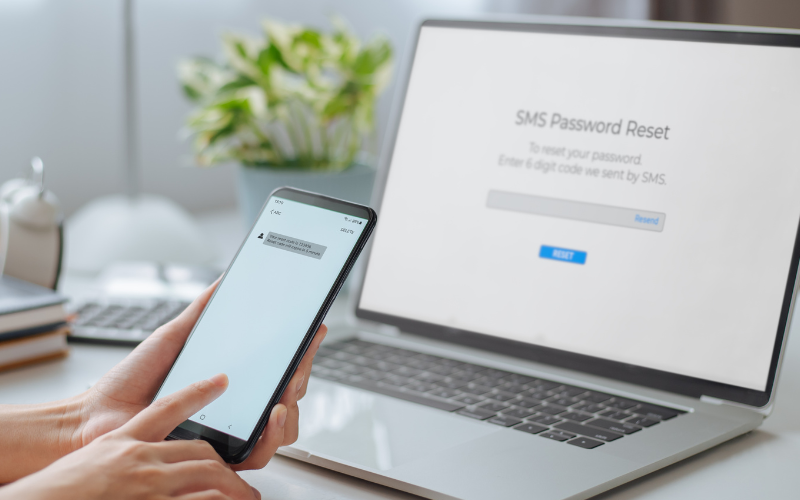
You will usually be asked to confirm your identity by entering a code sent to your recovery email or phone number. This step helps make sure that only the account owner can regain access.
3. Complete Security Checks
In some cases, additional cybersecurity checks may be required. This can include answering security questions or confirming a trusted device to protect your account from unauthorized access.
4. Review Account Activity
If your account was locked due to unusual activity, you may need to review recent logins or actions. This helps ensure that no unauthorized changes were made.
5. Follow Provider or IT Service Guidance
Some situations require extra steps based on your email provider’s security process. If the issue continues, IT services can help resolve deeper accounts or cybersecurity concerns properly.

How to Prevent Getting Locked Out of Email Again
Once you regain access, it is important to take steps to avoid getting locked out of email again. Many lockouts are preventable with the right account setup and basic security habits.
- Use a strong and easy-to-manage password
Choose a password that is secure but still easy for you to remember. Avoid reusing the same password across multiple accounts. - Keep your recovery details up to date
Make sure your recovery email and phone number are current so you can verify your identity if needed. - Turn on extra security features
Features like two-step verification add another layer of protection and reduce the risk of unauthorized access. - Be careful with new devices and locations
Logging in from unfamiliar devices or places can trigger security checks that may lead to being locked out. - Avoid repeated failed login attempts
Take your time when entering your password to prevent temporary lockouts. - Work with IT services when needed
Ongoing issues may require support from IT services and cybersecurity professionals to keep your account stable and secure.
By following these steps, you can lower the chances of getting locked out of your email and keep your account running smoothly.
Frequently Asked Questions
It depends on the situation. Some users regain access within minutes after resetting their password, while others may need more time if additional verification or security checks are required.
Not always, but it can be. Email providers often lock accounts to prevent unauthorized access. If this happens often, it may be worth reviewing your account security or seeking IT support.
What should I do if I think my email was hacked?
If you suspect unauthorized access, reset your password right away and review your account activity. If you are still locked out of your email, it is best to seek help to secure your account properly.
Yes, most providers use automated systems to detect unusual behavior and lock accounts to protect user data.
Double-check that you entered the correct code and request a new one if needed. If the issue continues, further verification or support may be required.
Final Thoughts
Getting locked out of email can slow down your day and create unnecessary stress, especially when it affects important tasks or communication. While some issues are temporary, repeated lockouts may point to deeper account or security concerns that should not be ignored. Taking the right steps and understanding the cause can help reduce the chances of it happening again.
If you are still locked out of email or dealing with ongoing access issues, it is best to get the right support. At TRS Wireless, we can help restore your access and make sure your account is secure moving forward. Get expert help today for reliable IT assistance!